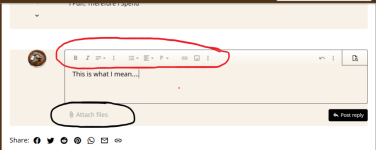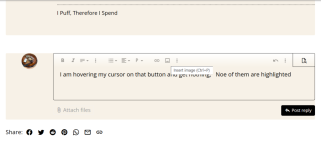


All of the threads that I could find are old and closed. How do I post a pic that isn't a clickable attachment? I tried using the Imagur copied link, but it just appeared as text.










I'm on a desktop.I have no idea what a clickable attachment is. Please explain.
But, is this for a PC or a mobile device?
the Insert image button doesn't highlightClick "Insert image" (the little image icon) and either select an image from your computer or add a URL.
View attachment 371711
Don't know what to say, it's enabled for me both on my laptop and phone.the Insert image button doesn't highlight

I haven't run into this before.
Actually, looks like all the controls, including text formatting, are disabled for you. What browser are you using? Can you try a different one?I haven't run into this before.
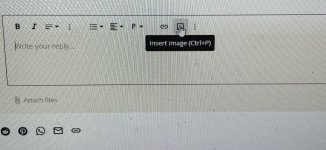
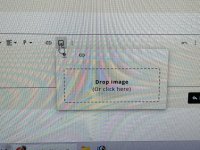
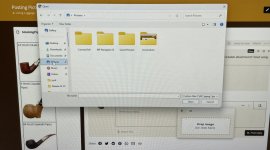
That button is not highlighting for my when I hover on it and it won't give me that Drop Image boxSorry, my OC doesn’t seem to be making screenshots, so Inused my phone.
Click here…
View attachment 371715
Then you will see this. Click inside that box.
View attachment 371716
Then go to where you stored the pic. Voila. Much easier than it was on the old forum format.
View attachment 371717

I use Brave and have no problems.Well guess what? Brave is the problem. Now all the buttons are highlighted using Edge browser.
Thanks for the suggestion, because i get so used to using Brave that i don't always think that it can be the source of problems like this.
Thanks, I'll try using the keys next time instead of switching to Edge. Hope it worksI use Brave and have no problems.
Generally just Ctrl "C" then Ctrl "V" to copy and paste.